Hi everyone,
I’m Alex — an IDPA Safety Officer and Match Director from Moldova. I’ve been designing stages for local matches for years. At some point I got fed up with the tools available and decided to build something better. That became StageMaker (stagemaker.app).
I want to introduce it here properly — not as a pitch, but as a genuine tool built by someone who actually runs matches. I’ll cover what it does, how it works, and why I made certain decisions.
What is StageMaker?
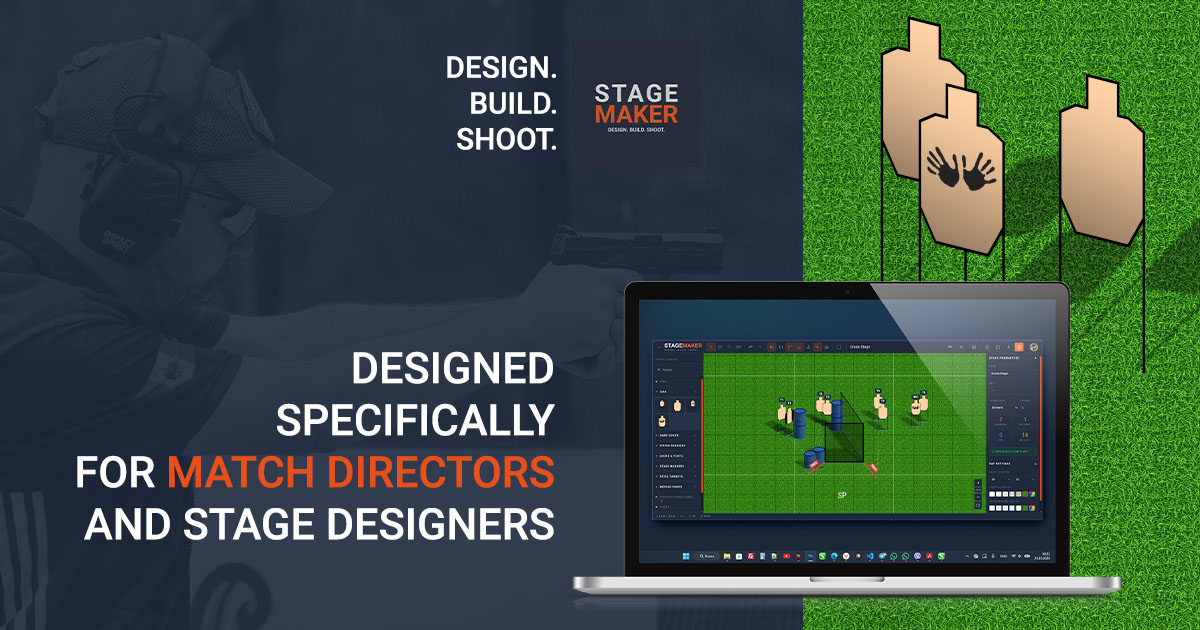
StageMaker is a browser-based stage design tool for competitive shooting. No install, no desktop app, no plugins — you open it in any browser and start designing. It supports IDPA, USPSA, IPSC, GPA, and Steel Challenge as first-class disciplines, each with its own dedicated rules validation engine.
The core workflow: you build a stage on a digital bay — drag and drop props (targets, barriers, steel, movers, covers), position and rotate them, annotate, export.
The prop library
The prop library is built around a modular system. Instead of offering pre-assembled “plate rack with 6 plates” as a single locked object, StageMaker gives you the individual components — the frame, the plates, the stands — and lets you build exactly what you have on your range.
Current library breakdown:
Paper targets — IDPA, USPSA, IPSC (full-size and mini), No-Shoot / Non-Threat variants for all disciplines
Steel Targets (41 props):
-
Poppers in four sizes (from standard to mini pepper popper)
-
Round plates from 6" to 30cm, including the full SCSA plate set (8", 10", 18" stop plate)
-
Square and rectangular plates in common competition sizes, plus tombstone
-
Hanging plates and tree plates for custom duel tree configurations
-
Gongs in three profiles, each available standalone or pre-mounted on a stand
-
Complex movers: Texas Star, Duel Tree (full and one-side), Plates Mover
-
Stands and frames: steel stands, horizontal and lean stands, plate rack frames in 1m and 3m widths, pre-assembled rack variants, T-posts in three heights
Hard cover & vision barriers — wall panels in standard IDPA/USPSA widths (0.5×2, 1×2, 2×2, 3×2 ft), with and without 24" low cover variants
Moving props — Turntable, Drop Turner, Vertical Mover (IDPA and IPSC variants), all with activator logic
Stage markers — Shooting Positions, Start Positions, Fault Lines (straight and curved), Shooting Area (IPSC closed polygon)
Support structures — barrels, tables, pallets, 4 car models
Miscellaneous — handgun, magazines, clay pigeon, holster stand
Once you’ve assembled a custom rig — say a Plate Rack Frame with five specific plates and your gong — you right-click it and hit “Add to My Props”. It’s saved to your personal library and available on every future stage with a single drag. No rebuilding the same setup from scratch every time.
Line of sight visualization
StageMaker has two LOS tools:
LOS Overlay — toggle it on and every paper target renders a cone showing exactly what a shooter standing at each SP can see. Barricades and walls clip the cones in real time. You see immediately if a target is fully visible, partially blocked, or hidden from a given position. Move a wall — the cone updates instantly.
Interactive Shooter — click the button on the toolbar and a blue circle follows your cursor. As you move it across the bay, the LOS updates dynamically from that exact position. You can literally walk the shooter through the stage and watch the visibility change. This is how you find the unintended “shoot everything from one spot” problem before you ever set foot on the range.
Rules validation
This is where StageMaker does heavy lifting. Each discipline has its own validation engine — not a generic checker with different labels. Here’s what each one does:
IDPA (2026 Rulebook):
-
Steel minimum 10 yd from all shooting positions
-
Target max distance (scenario stages: 20 yd)
-
Round count limits by stage type
-
Movement distance between SPs (max 10 yd)
-
Moving props require an activator
-
Steel/paper ratios
USPSA (2024 Handgun Rules):
-
Steel minimum 23 ft from barriers/SPs, 26 ft from fault lines — these are USPSA-specific thresholds, not converted IPSC numbers
-
8 scoring hits per position (USPSA Rule 1.2.1 — note: IPSC allows 9, we check the correct number for the correct discipline)
-
All-from-one check for Medium and Long courses
-
Round count by stage type (Short ≤12, Medium ≤20, Long ≤32)
-
Fault line minimum length 3 ft (Rule 2.2.1)
IPSC (current Handgun Rules):
-
Stage types Short/Medium/Long (≤12/≤24/≤32 rounds)
-
Shooting Area polygon — analyzes visibility from every point inside it
-
9 scoring hits per position
-
All-from-one check
-
Paper ≥2m, steel ≥7m and ≤35m from firing positions and fault lines
-
Steel proportion warning (>40% of total shots)
-
Fault line minimum 1.5m (Rule 2.2.1)
-
Long course: reload check
GPA (current Rulebook):
-
Max 24 rounds per stage
-
Moving props activation check
-
PAR time calculator (Rule 37.0 formula — automatic)
Steel Challenge:
-
5-plate structure validation (4 standard + 1 stop plate)
-
8 official stage types (SC-101 through SC-108)
All validation runs in real time. Place a steel target, see the distance check immediately. Change stage type — round count limits update instantly. No “validate on export” — you see issues as you design.
Units
IDPA, USPSA, GPA, and Steel Challenge stages display in yards by default. IPSC stages use meters. USPSA validation warnings show distances in feet where the rulebook uses feet.
There’s a toggle in the toolbar — one click switches the entire interface: bay dimensions, rulers, grid, coordinate panels, all validation messages. It’s saved per account so you don’t reset it every session.
Briefing and PDF export
The PDF export is print-ready. Two pages:
-
Page 1: stage metadata (name, discipline, scoring, stage type, round count, strings, briefing text with all discipline-specific fields)
-
Page 2: full stage layout with prop labels, distance markers, QR code linking to the live briefing
The briefing fields are discipline-specific. IDPA gets Scenario, Concealment, Movement Distance (auto-calculated), Muzzle Safe. IPSC doesn’t — because the IPSC rulebook doesn’t require them. Every field that appears in the PDF corresponds to an actual rulebook requirement.
Stage library
There’s a public stage library where you can publish your stages and browse what others have designed. Any stage can be forked — you get a full copy to modify for your bay. Filter by discipline, search by keyword, sort by date or popularity.
This is useful for match directors looking for inspiration, or for clubs that want to share stage libraries across their team.
Where things stand
StageMaker is in Early Access — the tool is fully functional and actively used for real matches. There’s no paywall, no credit card required. I’m actively developing it based on feedback from the community.
Honest acknowledgment of what’s not there yet: no collaboration / multi-user editing (on the roadmap), no native mobile app (browser works fine on tablets), Practisim import is in progress.
Links
-
Try it: https://stagemaker.app
-
90-second overview: https://youtu.be/_8ZKeLcv7Oo
-
Build a stage in 3 minutes: https://youtu.be/euI48pCsv3w
-
Stage sharing / forking walkthrough: https://youtu.be/sGfVPeUeIH8
-
Community subreddit: r/StageMakerApp
If you design stages for any of these disciplines — give it a try and tell me what’s missing. I’ve built the validation engines from the actual rulebooks, but I’m one person and I don’t run matches in every discipline. Real-world feedback from people who do is worth more than anything else at this stage.
Happy to answer questions here.